



How the Keep & Fill System Works | Rootline Bridge
HOW THE KEEP & FILL SYSTEM WORKS

Everything Runs From Your Schedule.
Nothing Runs Past Your Capacity.

A retention side and a demand side, connected by one report you already export.

Caregiver kneeling to help a seated older woman put on her shoe.
Capacity: open Mon, Wed, Fri mornings, East area.

Most Agencies Buy More Ads. We Start With the Census You Already Have.

Your revenue depends on two things moving together: the hours your clients keep and the hours your caregivers can take on.

Most vendors work on one. The Keep & Fill System works on both, in the same weekly rhythm.

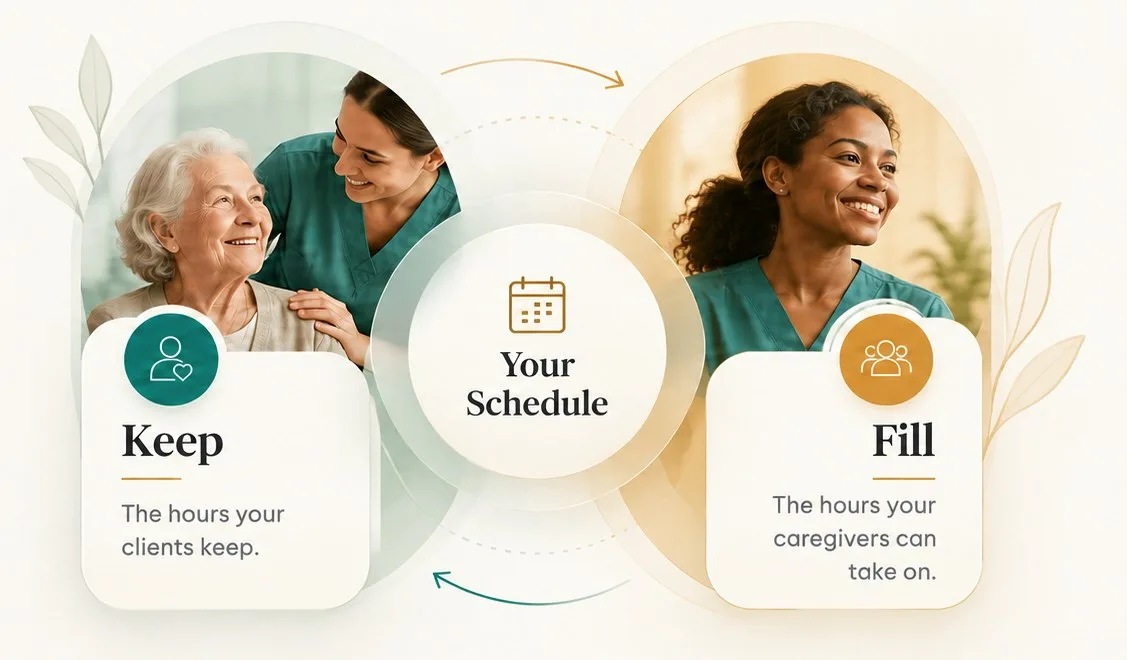
Keep and Fill, connected through your schedule: Keep is the hours your clients keep, Fill is the hours your caregivers can take on.
ONGOING SUPPORT

What Your Agency Gets, Week After Week.

Consistent communication. A stronger pipeline. More families in care.
All the key pieces working together, so your agency can grow with confidence.

KEEP DELIVERABLES
  • Family update program (you approve every template, families can opt out anytime)
  • New-family welcome through the early stage of care
  • Check-ins at key moments, with concern alerts to your team
  • At-risk case flags with a recommended next step
  • Lower-hour and respite options for changing needs or budgets

FILL DELIVERABLES
  • Caregiver capacity map by service area and schedule
  • Meta and Google campaigns aligned to open capacity
  • Prompt text response to every valid family inquiry
  • Qualified consultations booked on your calendar
  • Referral partner updates on available capacity
  • Review requests and Google profile upkeep

Your reporting shows family communication activity, at-risk cases, open caregiver capacity, inquiry follow-up, and recommended next actions.

Book a Demo

Every Piece Solves Something You Already Feel.

Phone showing a family update with a photo.
Keep

Family Updates

The problemFamilies feel out of the loop

What changes

Families see visits, hours, and caregiver details regularly

Welcome folder on an entryway table.
Keep

Early-Care Welcome

The problemNew families second-guess the first weeks

What changes

A guided start that builds confidence

Tablet listing clients with status flags.
Keep

At-Risk Flags

The problemHours drop before anyone notices

What changes

Your team gets a flag and a next step

Desk calendar with color-coded sticky notes.
Keep

Flexible Care Options

The problemA budget change ends the case

What changes

Lower-hour or respite care keeps the relationship

Tablet showing a service-area map with pins.
Fill

Capacity Map

The problemYou're not sure where you can say yes

What changes

Open hours mapped by area and schedule

Laptop showing a campaign dashboard.
Fill

Capacity-Matched Campaigns

The problemPaying for families you can't staff

What changes

Ads run only where you have hours

Phone showing a text conversation.
Fill

Inquiry Response

The problemInquiries go cold on busy days

What changes

A prompt text reply and booked consultations

Two profile cards on wooden stands.
Fill

Referral Partner Updates

The problemPartners don't know you have openings

What changes

Partners hear when you can take a case

Phone showing five-star reviews.
Fill

Reviews & Google Profile

The problemHappy families never leave a review

What changes

Steady review requests and a current profile

A CLEAR PATH TO LAUNCH

Your Rollout, Step by Step, With Promises Attached.

A simple, structured process to get your home care program live on time, with measurable outcomes.

  1. 1

    Sign the Agreement

    Sign the Business Associate Agreement. Before we see any schedule data.

  2. 2

    Run the Data Check

    Census Check and capacity map, built from your report export.

  3. 3

    Approve Your Templates

    Approve your family update templates. Nothing goes out without your sign-off.

  4. 4

    Keep Side Launches On Track

    Keep side launches within the agreed onboarding window.

  5. 5

    Go Live With Campaigns

    Fill side campaigns launch within the agreed rollout window.

  6. 6

    Ongoing Reporting

    Weekly reporting, with campaigns adjusted as capacity changes.

OUR PROMISES
We promise
If we miss it
Family updates launch within the agreed onboarding window
Full refund of your setup fee
New-client campaigns launch within the agreed rollout window
Full refund of your setup fee
Every opted-in family receives the scheduled update
Service credit for the affected billing period
Every valid family inquiry receives a prompt text response
Service credit for the affected billing period

Retention and Demand Were Never Separate Problems.

01

A client who cuts hours leaves a caregiver with gaps.

02

A caregiver with gaps starts looking elsewhere.

03

An agency short on caregivers can't take new families.

04

The Keep & Fill System breaks that loop from both ends: protect the hours you bill, then fill the hours you can staff.

We sign a Business Associate Agreement first, share schedule facts only, never include health details, and communicate only with family members approved by the client.

Bring Your Schedule. We'll Bring the Findings.

Your free Census Check comes with every demo.